Minecraft
Related Games
Adventure
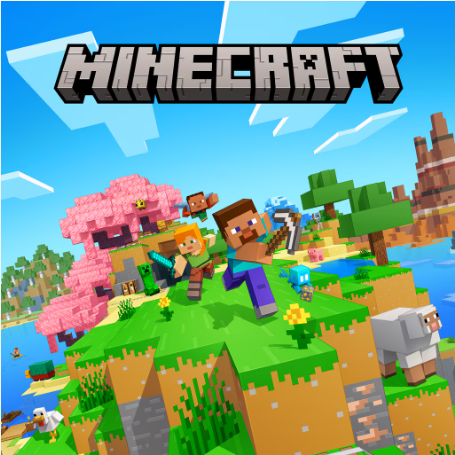
Minecraft is an open‑ended sandbox adventure where you mine blocks, craft tools, and build anything from simple shelters to massive cities while surviving in a world full of creatures, caves, and secrets.
Detailed Ratings
Overall rating: 4.8 / 5 – one of the most influential sandbox games ever made, offering endless creativity and replayability.
Difficulty: 3 / 5 – early Survival can be challenging, but the game allows you to choose your own pace and even lower the difficulty if needed.
Replay value: 5 / 5 – infinite worlds, multiple modes, community servers, and constant updates make it a game you can return to for years.
Game Introduction
Minecraft is a legendary sandbox game that drops you into a blocky, procedurally generated world made of cubes. Every hill, cave, forest, and village is created uniquely for your world seed, so no two adventures feel exactly the same. Instead of following a fixed story, you are free to choose your own goals: explore far‑off biomes, dig deep underground for rare ores, build redstone machines, or simply relax while decorating a cozy base.
What makes Minecraft special is the way simple systems combine to create endless possibilities. Blocks can be mined, placed, crafted, smelted, and transformed into tools, weapons, machines, and decorative items. Mobs such as zombies, skeletons, creepers, villagers, and animals each add personality and challenge to the world, while changing weather and the day‑night cycle keep the environment feeling alive.
Over the years, Minecraft has grown far beyond a building toy into a full platform for creativity, survival challenges, mini‑games, and multiplayer worlds. Players can team up on servers, join custom maps and adventure modes, or experiment with resource packs and data packs to change how the game looks and behaves. Whether you play casually or chase ambitious mega‑projects, Minecraft gives you the tools to tell your own stories in a world you shape block by block.
How to Play
Minecraft offers several main modes, with Survival and Creative being the most popular. In Survival mode, you start with nothing and must gather wood, stone, and other resources to craft tools, armor, and shelter. You need to manage health and hunger while exploring dangerous caves, fighting hostile mobs at night, and upgrading your gear with iron, diamonds, and enchantments. As you progress, you can visit the Nether, locate strongholds, and eventually challenge the Ender Dragon, treating the game almost like an open‑world RPG.
In Creative mode, the focus shifts from survival to pure imagination. You have unlimited blocks and the ability to fly, letting you build massive structures, redstone contraptions, and detailed landscapes without worrying about enemies or resources. Other variants, such as Adventure and Spectator modes, support custom maps and exploration‑focused experiences. Whether you play solo or with friends online, the core loop always revolves around gathering materials, experimenting with crafting, and turning your ideas into reality one block at a time.
PC & Mobile Controls
On PC, you move with the WASD keys, jump with Space, and use the mouse to look around and interact. Left‑click is used to attack or break blocks, while right‑click places blocks or uses items such as doors, chests, and tools. The number keys switch hotbar slots, and common shortcuts like Shift for sneaking and E for opening your inventory make it easy to manage items and avoid falling off edges while building.
On mobile, a virtual joystick handles movement, with on‑screen buttons for jumping, sneaking, and interacting with the world. Tapping and holding the screen lets you mine or place blocks, while simple touch menus manage crafting and inventory. The controls are designed to be accessible for touch screens, making it easy to play in short sessions, explore, and build even without a keyboard or mouse.
Tips & Tricks
On your first day, prioritize crafting basic tools, gathering food, and building a simple shelter before night falls to stay safe from hostile mobs.
Carry a shield, some spare food, and torches whenever you go mining; lighting up tunnels reduces mob spawns and helps you trace your path back to the surface.
Use beds to set your spawn point near important bases or projects so that if you die, you respawn close to your items and builds.
When you are ready for late‑game content, brew potions, enchant your gear, and bring backup supplies before entering the Nether or fighting the Ender Dragon.
Level Information
The early game focuses on basic survival: chopping trees, crafting wooden and stone tools, securing food, and building a safe base to survive your first nights.
In the mid‑game, you upgrade to iron and diamond gear, explore deeper cave systems, set up farms and storage rooms, and begin experimenting with enchantments and potions.
As you progress, you unlock access to the Nether and locate strongholds, where you gather resources like blaze rods and ender pearls needed to reach the End dimension.
The late game revolves around defeating the Ender Dragon, exploring End cities for rare loot like elytra, automating farms with redstone, and pursuing large‑scale building or technical projects.
Game Tags
Game Details
Screenshots